Postingan

Menampilkan postingan dengan label Java Web Service Tutorial

Top 5 Books to learn REST and RESTful WebServices for Java Programmers

Gambar
The REST framework has now become the standard way to develop Web Services on the Internet. It's no more SOAP, who used to rule the world for the last two decades. The SOAP and XML went very well together in the past decade but it seems now REST and JSON have overtaken then and doing even better, thanks to the rise of JavaScript for both frontend and backend development. Since Java is also one of the most popular languages to develop backend services, there is a lot of demand for Java developers who know web services and can implement and expose existing SOAP-based services into REST style, light-weight web services. This is an excellent opportunity for intermediate and experienced Java developers to learn a more job-oriented skill to keep themselves marketable and many Java developer has already started learning REST and RESTful web services in Java. It's no surprise that I often receive requests via Facebook and email about some book recommendations on REST and RESTful web se...
How to send HTTP request using curl and wget command from Linux and UNIX? Example Tutorial

Gambar
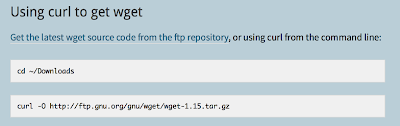
You can use either curl or wget command to send HTTP requests from UNIX or Linux operating system. Both commands allow you to send GET and POST requests, which means you can also call REST web services.  I have a Java web application, which runs on Linux and exposes WebServices. I was writing a UNIX script to download In some data from that web service when I hit by the question, how do I make an HTTP call from UNIX? What is the UNIX command should I use? If you are also facing the same problem, then you have come to the right ht place. Basically, you can use two UNIX commands to make the HTTP request, wget, and curl. You can use curl and wget to send both GET and POST HTTP requests. My use case was rather simple, I just need to make a GET call to web service to download the data, but these two commands are mighty and provide many different options to interact with the web using HTTP right from the shell. Between wget and curl (also known as cURL), curl (I call it "karl") ...